Customer & Client Portals
Secure self-service access to status, documents, requests, approvals, schedules, payments, or other parts of the customer relationship.
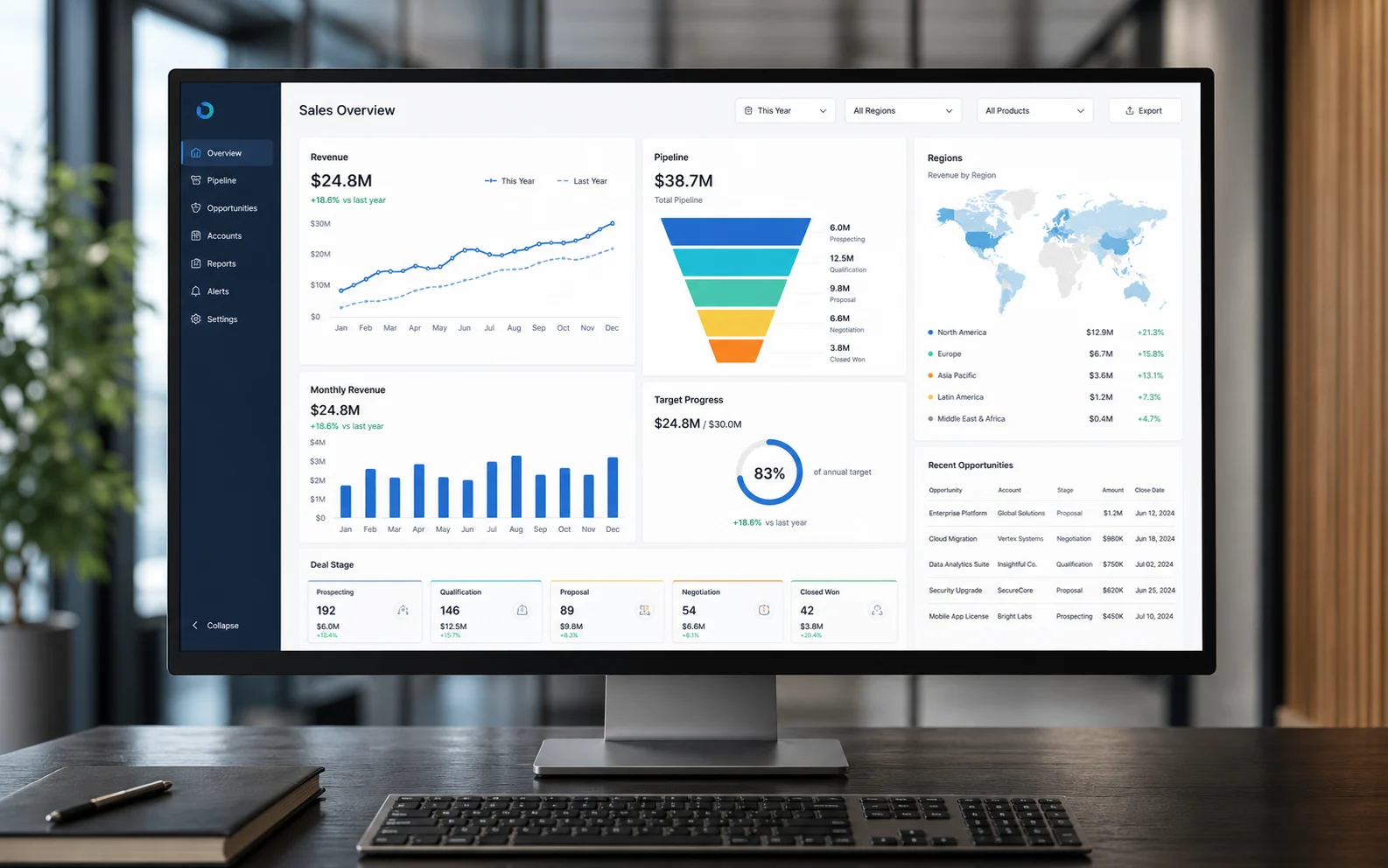
Give staff, customers, and leaders the right view of the work through secure custom portals, internal tools, business dashboards, reporting, and role-based access.
10+ yearsbuilding software
60+ projectsdelivered
Utahfounded & headquartered
5.0 / 5stars on Google
Trusted by businesses like
The goal is not more charts. It is a useful view for each person who needs to understand, complete, approve, or act on the work.
Secure self-service access to status, documents, requests, approvals, schedules, payments, or other parts of the customer relationship.
Role-aware internal tools that give employees, contractors, and partners the workflow and context required for their part of the job.
Focused business dashboards that surface meaningful operating signals without forcing leaders to assemble another report by hand.
Report-ready records and exports built from the underlying workflow instead of disconnected end-of-month spreadsheet work.
Clear paths for submitting, reviewing, approving, signing, and retaining the evidence connected to a decision.
Permissions and views shaped around what each user needs to see and do, with sensitive or irrelevant information kept out of the way.
Portals and dashboards earn their place when people repeatedly ask for status, reports require manual assembly, or each role needs a different view of the same work.
Teams whose clients, patients, members, tenants, or partners need secure access to progress, documents, actions, or decisions.
Owners and managers who need operational visibility without asking staff to maintain a second reporting process.
We start with the decision and the person making it, then work backward to the workflow, data, and permissions the view requires.
Identify the people, decisions, data sources, current reporting work, security boundaries, and the first useful view.
Put the most important portal or dashboard workflow in front of real users in one week using staged representative data.
Measure whether status requests fall, approvals move faster, reports take less work, and the next action becomes clearer.
Expand the useful views and actions into a secure production system with documented roles, data responsibilities, and ownership.
A dependable portal or dashboard must make the right action obvious without exposing the wrong information or creating a second source of truth.
Each view starts with what that person needs to understand or complete, not with every field available in the database.
Dashboards, reports, documents, and approvals are tied to the operating record so visibility does not depend on duplicate entry.
Data sources, vendor accounts, custom code, permission rules, exports, and ongoing responsibilities are documented for handoff.
From operation map to owned software
One weekfirst working prototype
$2,500flat-rate prototype
8–16 weekstypical approved build
30 dayspost-launch support
Map how the work happens with Jake, choose one workflow to prototype, and define the improvement your team will measure before anything expands.
Book a Discovery CallReal engagements where the right view reduced repeated coordination and made completion visible.
A portal gives a specific user secure access to information and actions across an ongoing relationship or workflow. A dashboard focuses on visibility and decisions. Many custom systems combine both, but the design should follow what each user actually needs to do.
Yes. A single system can provide different role-aware experiences for customers, staff, managers, partners, or other users while sharing the appropriate underlying workflow and records.
Usually, when the source systems provide supported APIs, exports, databases, or other reliable integration paths. We confirm data availability, quality, update timing, and ownership before promising a dashboard or report.
Yes, when those capabilities are part of the locked workflow and appropriate third-party services are available. The proposal identifies integrations, account responsibilities, security requirements, and completion criteria.
Roles and permissions are defined with the workflow before the build. Security and compliance requirements are evaluated case by case, and no specific compliance standard is promised until its requirements and responsibilities are reviewed.
The first working workflow prototype is delivered in one week. Most approved production builds take 8–16 weeks depending on roles, data sources, integrations, reporting logic, and the locked completion criteria.